Why Your EV Charger Keeps Throwing Communication Errors — And How to Fix It
Home / Blog / Guidelines / Why Your EV Charger Keeps Throwing Communication Errors — And How to Fix It
23 Jun, 2026
CAN bus EV charger
charger backend connection error
EV charger troubleshooting
EV charging station fault codes
OCPP communication failure
Most EV charger communication errors trace back to five culprits: OCPP misconfiguration, unstable network links, CAN bus wiring faults, firmware version mismatches, or TLS/security certificate failures. Fix the right one and the charger comes back to life in minutes — chase the wrong one and you burn hours on-site with nothing to show for it. This guide walks through each root cause with specific diagnostics and field-proven fixes so you can resolve communication faults systematically instead of guessing.
What “Communication Error” Actually Means on an EV Charger
A communication error is not a single fault — it is a category. The charger is telling you that a data exchange it expected did not happen within the required window. That exchange could be between the charger and the vehicle (ISO 15118 / IEC 61851 signaling), between the charger and its backend management system (OCPP), or between internal modules like the power unit and the control board (CAN bus or Modbus).
Why This Distinction Matters
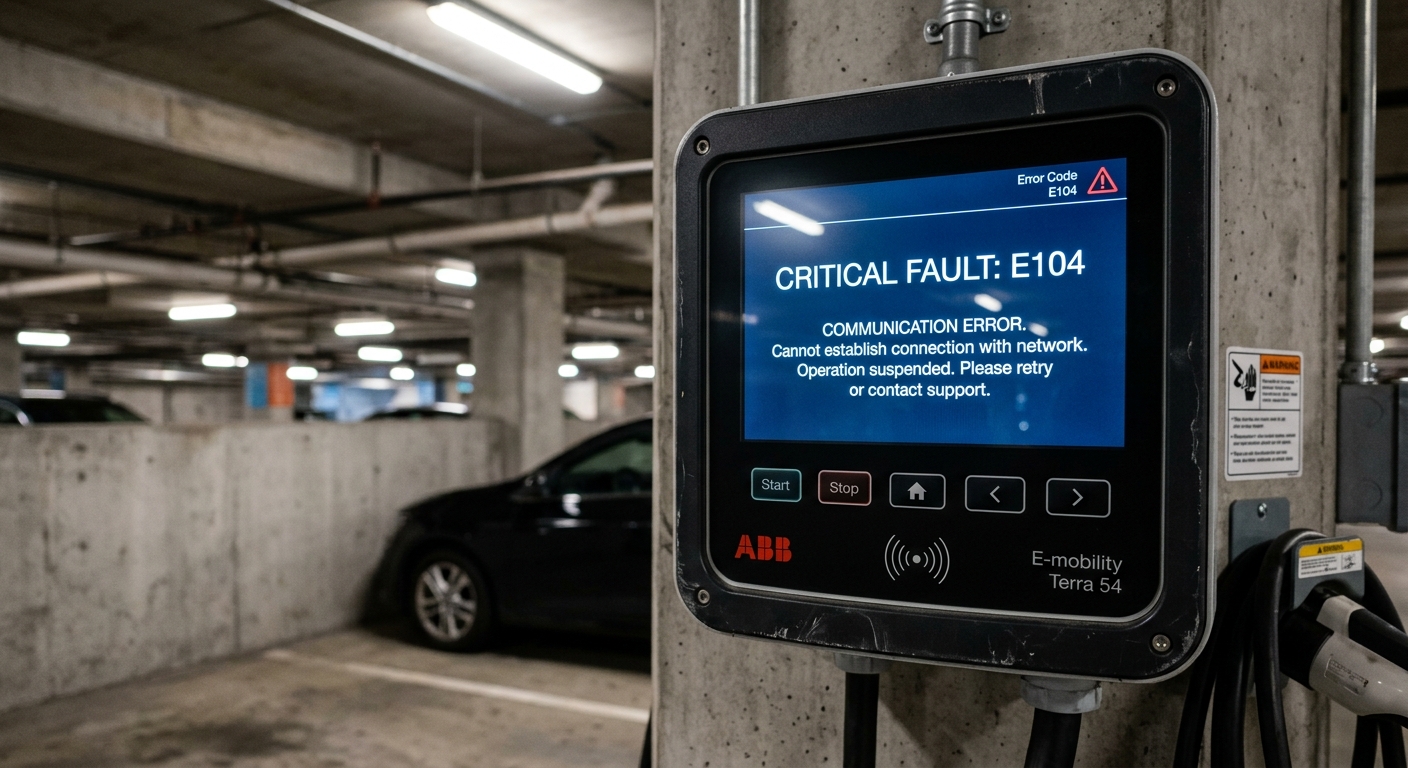
If you treat every communication error the same way — say, by rebooting the charger — you will fix roughly 15% of cases and waste time on the other 85%. The first step is always to identify which communication channel failed. Most chargers log this in their fault code register. A code referencing “backend timeout” points to OCPP/network issues. A code referencing “vehicle handshake failure” points to the charger-to-vehicle protocol. A code referencing “internal module offline” points to CAN bus or internal serial links.
Before you touch a cable or change a setting, pull the fault log. It is the single most valuable diagnostic step you can take.
EV charger LCD screen showing a fault code for communication error
Cause #1: OCPP Backend Misconfiguration
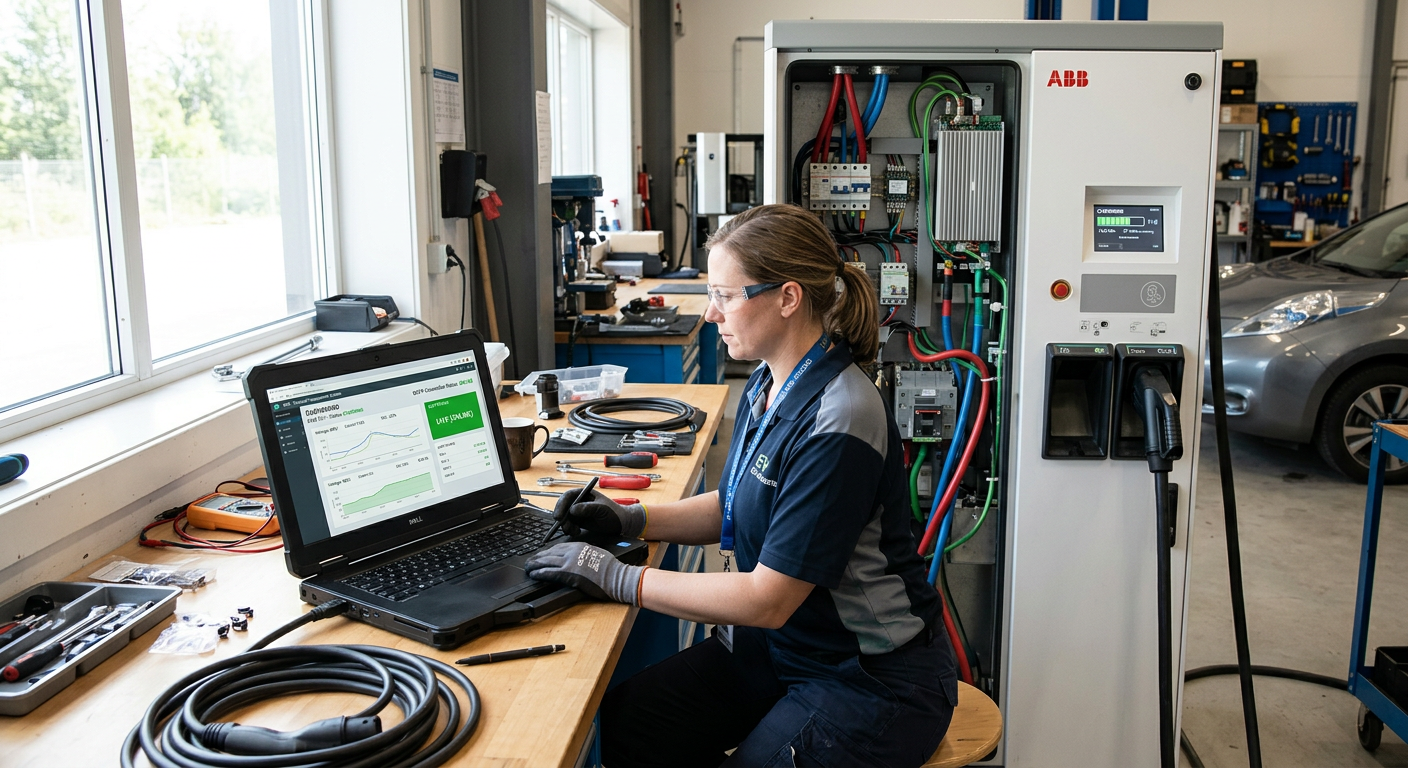
This is the number-one cause of communication errors on networked chargers, and it is almost always a software problem — not hardware. OCPP (Open Charge Point Protocol) governs how the charger talks to the central management system. When the handshake fails, the charger either drops offline entirely or allows local charging but cannot authorize sessions, report energy data, or accept remote commands.
The Usual Suspects
Wrong WebSocket URL. A single mistyped character in the OCPP endpoint URL — including trailing slashes, wrong port numbers, or http vs. wss prefixes — kills the connection silently.
Charger identity mismatch. The charge point ID registered in the backend must exactly match the ID configured on the charger. Case sensitivity trips people up constantly.
Protocol version conflict. A charger configured for OCPP 1.6J connecting to a backend expecting OCPP 2.0.1 will fail. Some backends auto-negotiate; many do not.
Heartbeat interval set too low. If the heartbeat interval is shorter than the network round-trip time (common on cellular connections), the backend marks the charger as offline between heartbeats.
Real-World Example
A fleet operator in Germany deployed 24 AC chargers across three depot locations. Within the first week, eight chargers intermittently dropped off the backend — always the same eight. The fault log showed “WebSocket connection closed by remote.” After two days of chasing network issues, the integrator discovered that those eight chargers had been provisioned with the staging-server URL instead of the production URL. A five-second configuration change on each unit resolved every single error. The lesson: always verify the OCPP endpoint URL character-by-character before escalating.
If you are evaluating charger suppliers for large deployments, choosing the right EV charger suppliers who provide clear OCPP configuration documentation can prevent these issues from day one.
Technician laptop showing OCPP charger management dashboard next to an open EV charger
Cause #2: Network Instability — Ethernet, Wi-Fi, and Cellular
The charger's OCPP stack can be configured perfectly and still fail if the underlying network is unreliable. This is especially common in parking garages (poor cellular signal), outdoor installations (Wi-Fi range limits), and rural sites (spotty LTE coverage).
Diagnosing Network Problems
Look for intermittent disconnections rather than a permanent offline state. If the charger connects, works for a while, then drops — and the pattern correlates with time of day or weather — the network is your prime suspect.
Cellular (4G/LTE): Check signal strength in dBm. Anything weaker than -100 dBm is unreliable. External antennas with 3–5 dBi gain solve most marginal-signal cases. Also verify the SIM card's data plan has not been throttled or expired.
Wi-Fi: Chargers installed more than 30 meters from the access point — or behind concrete walls — will experience packet loss. A site survey with a Wi-Fi analyzer before installation is non-negotiable for commercial deployments.
Ethernet: The most reliable option, but vulnerable to cable damage. Cat5e/Cat6 cables running alongside power cables can pick up electromagnetic interference. Use shielded (STP) cable and maintain at least 200mm separation from high-voltage runs.
The Fix That Saves the Most Headaches
For mission-critical sites — fleet depots, public fast-charging hubs — use wired Ethernet as the primary link and cellular as failover. Most modern chargers support dual-path connectivity. If your charger does not, that is a specification gap worth addressing when you plan your commercial EV charging station deployment.
Cause #3: CAN Bus and Internal Module Failures
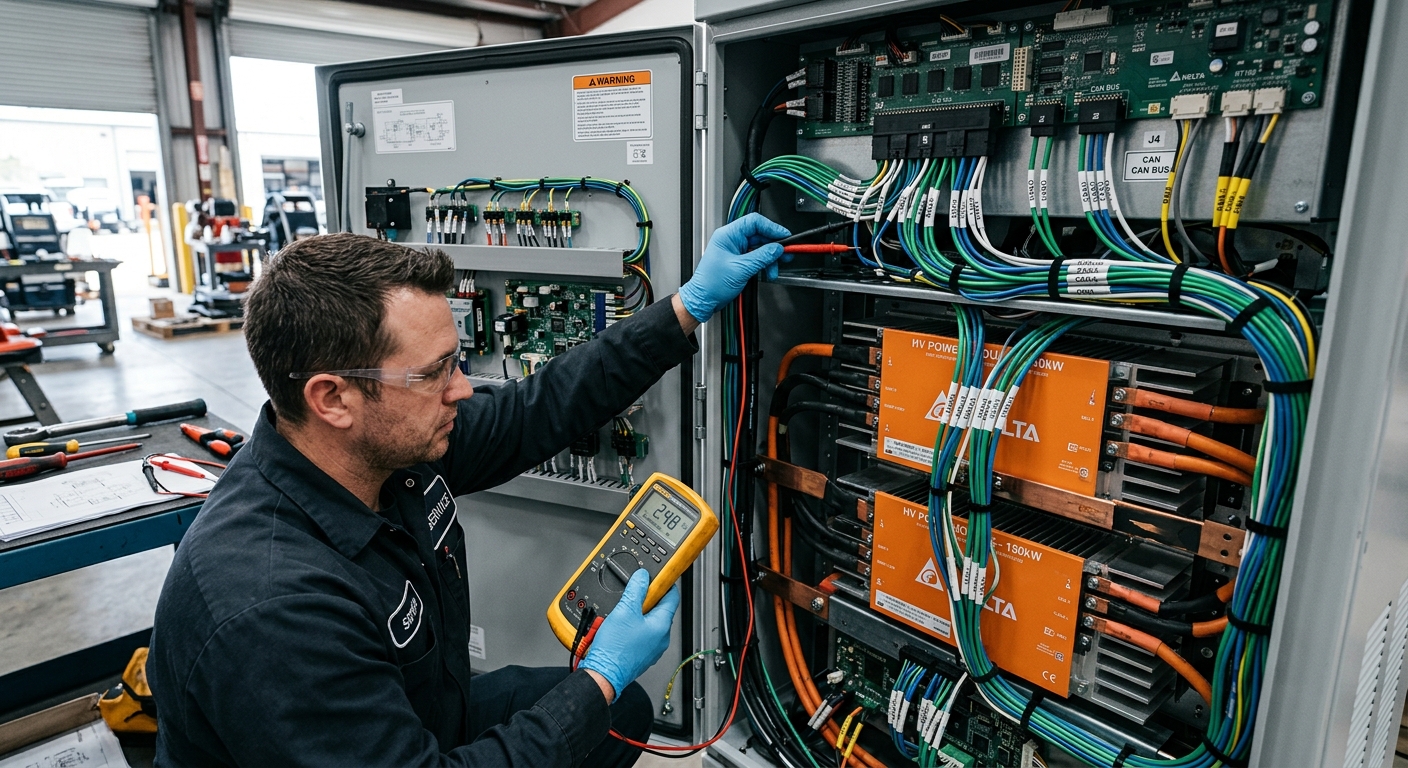
Not all communication errors involve the outside world. Inside a DC fast charger, the control board communicates with power modules, contactors, meters, and cooling systems over CAN bus or RS-485. When an internal communication link breaks, the charger typically shuts down the session immediately — it cannot safely deliver power without confirming module status.
Common Internal Comm Failures
Loose or corroded CAN bus connectors. Vibration from nearby traffic, thermal cycling, or simply poor initial crimping causes intermittent contact. The charger may work fine for 20 sessions, then throw a module-offline error on session 21.
Missing or incorrect termination resistors. A CAN bus requires 120Ω termination at each end. Missing termination causes signal reflections that corrupt data frames. This is one of the most overlooked installation errors.
Firmware mismatch between modules. After a partial firmware update — where the control board is updated but power modules are not — the two sides may speak slightly different protocol versions. Always update all modules in a coordinated sequence.
Understanding how BMS CAN communication works is essential for anyone troubleshooting internal charger faults, because the same protocol principles apply whether you are charging an EV or an industrial lithium battery pack.
Diagnostic Shortcut
If you have access to a CAN bus analyzer (even a low-cost USB dongle like a PCAN-USB), connect it to the charger's CAN port and look for error frames. A healthy bus shows zero error frames. Even a handful per minute indicates a physical-layer problem — usually wiring or termination.
Interior of a DC fast charger showing CAN bus wiring and power modules during maintenance
Cause #4: TLS Certificate and Security Profile Failures
As OCPP 2.0.1 adoption grows and cybersecurity requirements tighten, TLS-related communication failures are surging. The charger and backend must agree on a security profile, and the certificate chain must be valid and trusted by both sides. When it is not, the WebSocket connection is rejected before any OCPP message is even exchanged.
Three Scenarios That Break TLS
Expired certificates. Server-side or client-side certificates have expiration dates. If nobody renews them, the charger silently fails to connect. Set calendar reminders 30 days before expiration.
Root CA not installed on charger. The charger must trust the certificate authority (CA) that signed the backend's TLS certificate. If you switched backend providers or the provider rotated their CA, you need to push the new root CA to every charger.
Security profile mismatch. OCPP 2.0.1 defines three security profiles. If the backend enforces Profile 2 (TLS with client-side certificates) but the charger is configured for Profile 1 (basic authentication over TLS), the handshake fails.
The comparison table below highlights key differences between OCPP 1.6J and 2.0.1 that directly affect communication reliability and security handling.
Cause #5: Charger-to-Vehicle Protocol Errors (ISO 15118 / IEC 61851)
Sometimes the charger connects to the backend just fine but throws a communication error the moment a vehicle plugs in. This is a charger-to-vehicle handshake failure, and it is governed by different standards than OCPP.
AC Chargers (IEC 61851 / SAE J1772)
The communication here is simple: a 1 kHz PWM pilot signal on the Control Pilot (CP) pin. The duty cycle tells the vehicle the maximum available current. Faults typically come from:
Damaged or dirty CP pin in the connector
Pilot signal generator circuit failure on the charger's control board
Vehicle-side CP circuit anomaly (not the charger's fault, but the charger still logs the error)
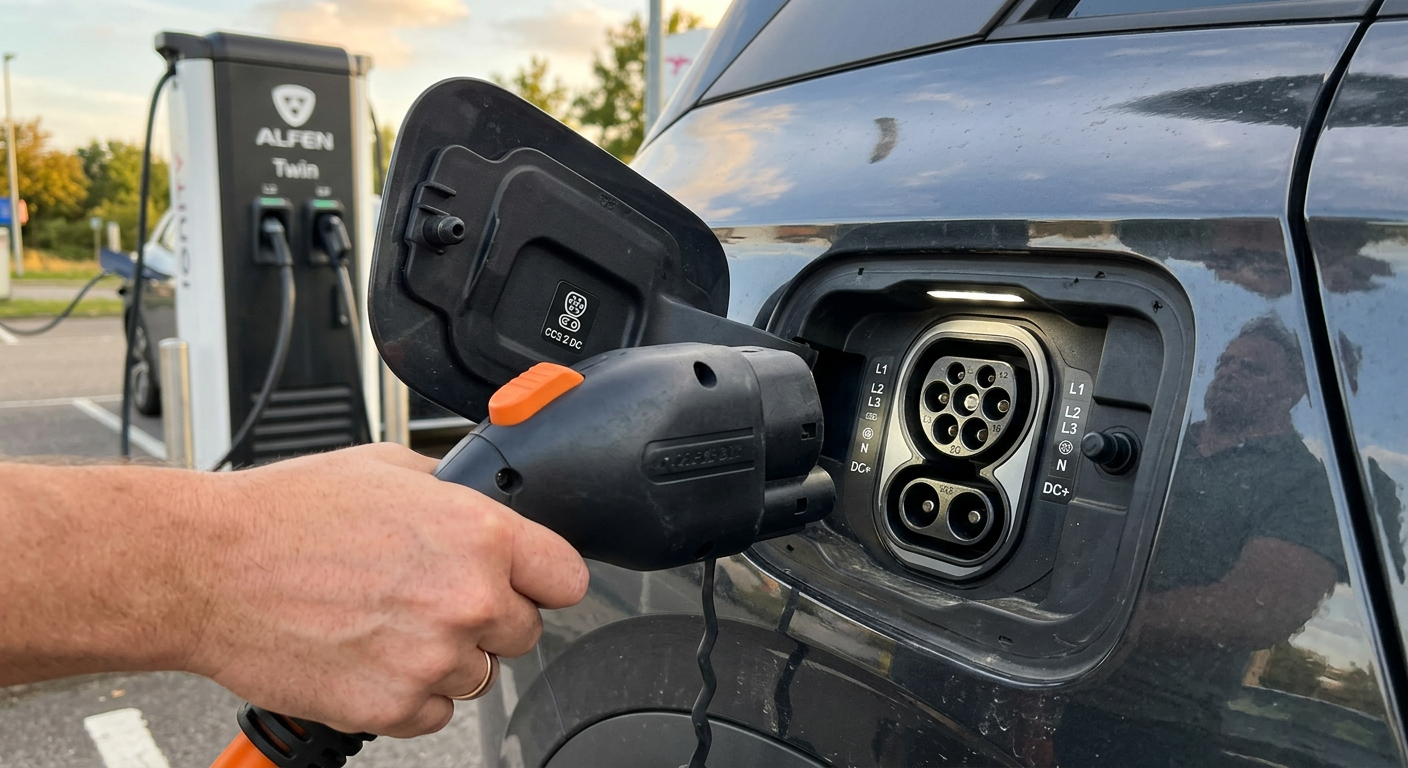
DC Chargers (ISO 15118 / DIN SPEC 70121 / CHAdeMO)
DC charging uses high-level communication (HLC) over powerline communication (PLC) through the CP pin, or CAN-based messaging for CHAdeMO. Failures here are more complex:
PLC signal attenuation caused by long or low-quality charging cables
SLAC (Signal Level Attenuation Characterization) failure — the charger and vehicle cannot agree on signal levels during the initial matching phase
Incompatible ISO 15118 message sets — especially when Plug & Charge is involved and certificate exchange fails
A practical first step: try a different vehicle. If the error only occurs with one specific vehicle model, the root cause is almost certainly on the vehicle side or in a narrow compatibility gap. If it happens with every vehicle, focus on the charger's PLC modem or CP circuit.
CCS2 DC charging connector being plugged into an electric vehicle charge port
A Systematic Troubleshooting Workflow
Stop guessing. Use this sequence every time a communication error appears, and you will resolve most faults in under 30 minutes.
Step 1: Read the Fault Code
Access the charger's local interface or remote management portal. Identify whether the fault references backend, vehicle, or internal communication. This single step eliminates two-thirds of possible causes.
Step 2: Check Physical Layer First
Before touching software, inspect cables, connectors, and antennas. Loose Ethernet jacks, corroded CAN bus pins, and disconnected cellular antennas account for a surprising percentage of “communication errors” that look like software problems.
Step 3: Verify Network Connectivity
Ping the OCPP backend server from the charger's network (if the charger has a diagnostic shell) or from a laptop connected to the same LAN/cellular gateway. If pings fail, the problem is network infrastructure — not the charger.
Step 4: Validate OCPP Configuration
Cross-check the WebSocket URL, charge point ID, and security profile against the backend provider's documentation. Change one parameter at a time and test.
Step 5: Check Firmware Versions
Confirm that the charger firmware, power module firmware, and backend software are all on compatible versions. Consult the manufacturer's compatibility matrix.
Step 6: Escalate with Data
If steps 1–5 do not resolve the issue, capture a packet trace (Wireshark for Ethernet/Wi-Fi, or a CAN bus log for internal faults) and send it to the manufacturer. Raw data accelerates support response times dramatically compared to a vague “it is not working” ticket.
For operators managing large fleets of vehicles and chargers, integrating this workflow into your fleet charging management strategy will reduce downtime across the board.
Preventing Communication Errors Before They Happen
Reactive troubleshooting is necessary but expensive. A single truck roll to diagnose a charger in the field can cost $200–$500 depending on location. Multiply that by a 50-charger network and you are looking at serious operational drag. Prevention is cheaper.
Specify Dual-Path Connectivity
Require both wired Ethernet and cellular in your charger procurement spec. If one path fails, the other takes over. This alone eliminates the majority of backend communication outages.
Automate Certificate Management
Use a backend that supports automated certificate renewal and distribution. Manual certificate management does not scale beyond a handful of chargers.
Schedule Firmware Updates During Off-Peak Hours
Push firmware updates to all modules simultaneously during windows when no charging sessions are expected — typically 2:00–5:00 AM for public stations, or mid-day for fleet depots that charge overnight.
Commission Properly the First Time
Seventy percent of field communication errors trace back to installation and commissioning mistakes. A proper commissioning checklist — verifying OCPP connection, testing a full charge session end-to-end, confirming CAN bus health, and documenting signal strength — takes 20 extra minutes per charger and saves hours of troubleshooting later.
The latest advancements in commercial EV charging stations include built-in remote diagnostics that flag communication degradation before it becomes a full fault — a capability worth prioritizing in your next procurement cycle.
When the Charger Is Not the Problem
Here is an uncomfortable truth: sometimes the charger is working perfectly and the communication error is caused by something entirely outside your control.
Vehicle-Side Bugs
Certain vehicle models have known firmware bugs that cause PLC handshake failures with specific charger brands. These are typically resolved by vehicle OTA updates, but in the meantime, the charger takes the blame. If you see communication errors only with a specific vehicle make/model, check the vehicle manufacturer's known-issues list.
Backend Server Outages
Cloud-based OCPP backends go down. When they do, every charger on that platform reports a communication error simultaneously. If you suddenly see your entire network go offline at once, check the backend provider's status page before dispatching technicians.
Grid-Side Interference
In rare cases, power quality issues — voltage sags, harmonic distortion from nearby industrial equipment — can corrupt the PLC signal on the charging cable. This is uncommon but worth investigating if you have exhausted all other causes and the installation is near heavy industrial loads like welding equipment or large motor drives.
Build a Charging Network That Stays Online
Communication errors are frustrating, but they are solvable. The pattern is almost always the same: a configuration detail was missed during commissioning, a network link is marginal, or a firmware update created a version mismatch. Rarely is the hardware itself defective.
The operators who experience the fewest communication faults are the ones who invest in three things: thorough commissioning checklists, dual-path network connectivity, and a charger manufacturer who provides clear OCPP documentation and responsive technical support.
At evaisun, we design our OEM and ODM charging solutions with robust communication stacks, detailed integration guides, and engineering support that goes beyond shipping a box. If communication reliability is a priority for your next deployment — and it should be — we are happy to walk through the technical architecture with you.
Subscribe the newsletter to get updated to news and promotions
Cookies give you a personalized experience,Сookie files help us to enhance your experience using our website, simplify navigation, keep our website safe and assist in our marketing efforts. By clicking "Accept", you agree to the storing of cookies on your device for these purposes. Click "Adjust" to adjust your cookie preferences.For more information, review our Cookie Policy