Cybersecurity for Networked EV Chargers: What Distributors Must Verify Before Deployment
Home / Blog / Technical Authority / Cybersecurity for Networked EV Chargers: What Distributors Must Verify Before Deployment
28 Aug, 2026
charging station cyberattack
EV charger firmware verification
networked EV charger security
OCPP security
Before deploying a networked EV charger, distributors must verify three things: how it encrypts communication with the backend, whether its firmware update process is cryptographically signed, and whether default credentials were actually removed before shipping — not just documented as removable. Skip any one of these and you’re not selling a charger, you’re selling an unmonitored entry point into your customer’s electrical and network infrastructure.
Why a Charger Is Basically an IoT Device Bolted to a Power Line
Here’s the uncomfortable truth: a networked charger has more in common with a smart thermostat than with a transformer. It runs an OS, holds a network stack, talks to a cloud backend, and — in most deployments — sits on the same subnet as building management systems, payment terminals, or fleet telematics. Treat it like dumb hardware and you’re inheriting someone else’s attack surface.
Security researchers have already demonstrated remote exploits against commercial charging hardware — from man-in-the-middle attacks on OCPP traffic to firmware extraction via exposed debug interfaces. None of these required physical sabotage. A charger left with default admin credentials on a public-facing IP is a soft target, and once compromised, it can be used to pivot into a site’s broader network, not just to shut down charging.
This matters most for distributors bidding on payment terminal integration for public contracts or fleet depot rollouts, where a single compromised unit can expose transaction data or disrupt an entire site’s charging schedule.
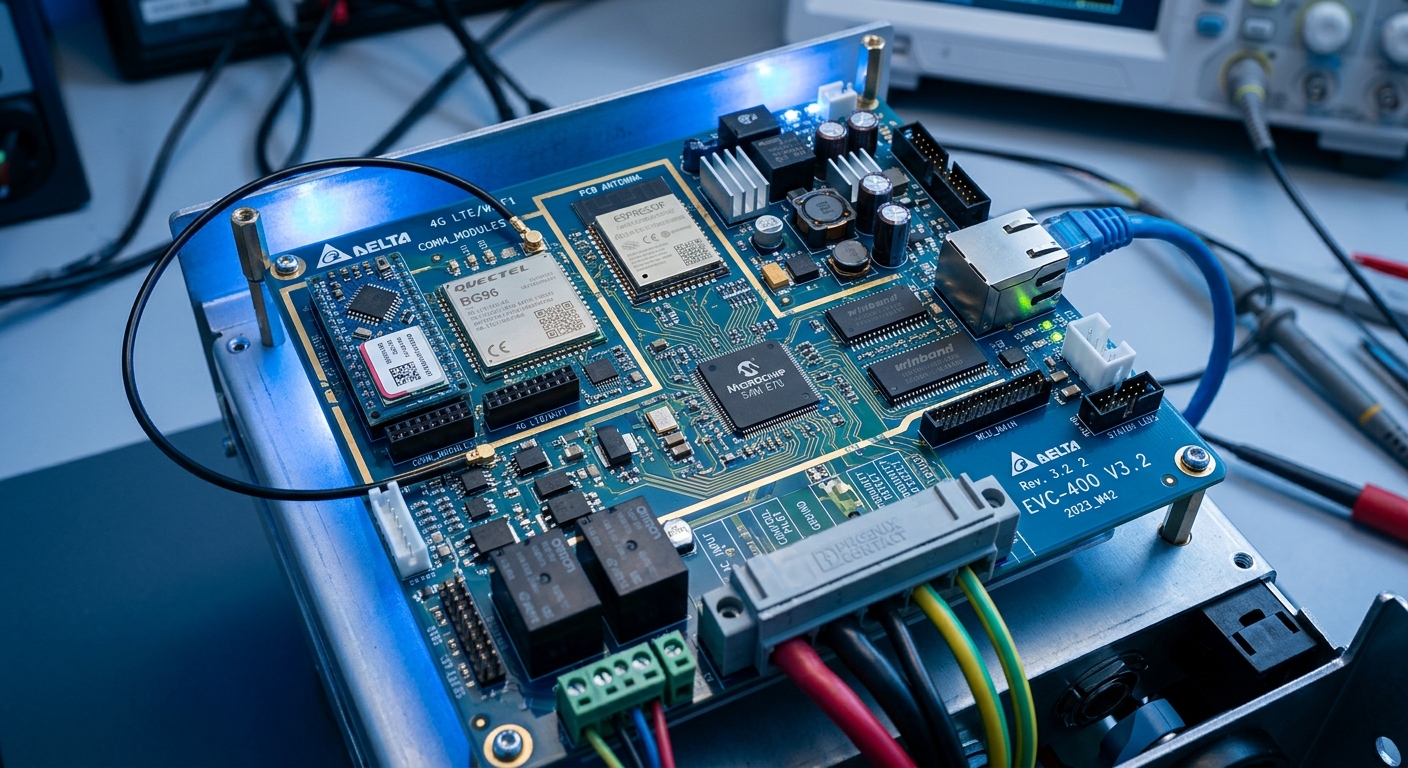
Internal control board of a networked EV charger showing communication modules
OCPP Security Profiles: The Detail Most Spec Sheets Gloss Over
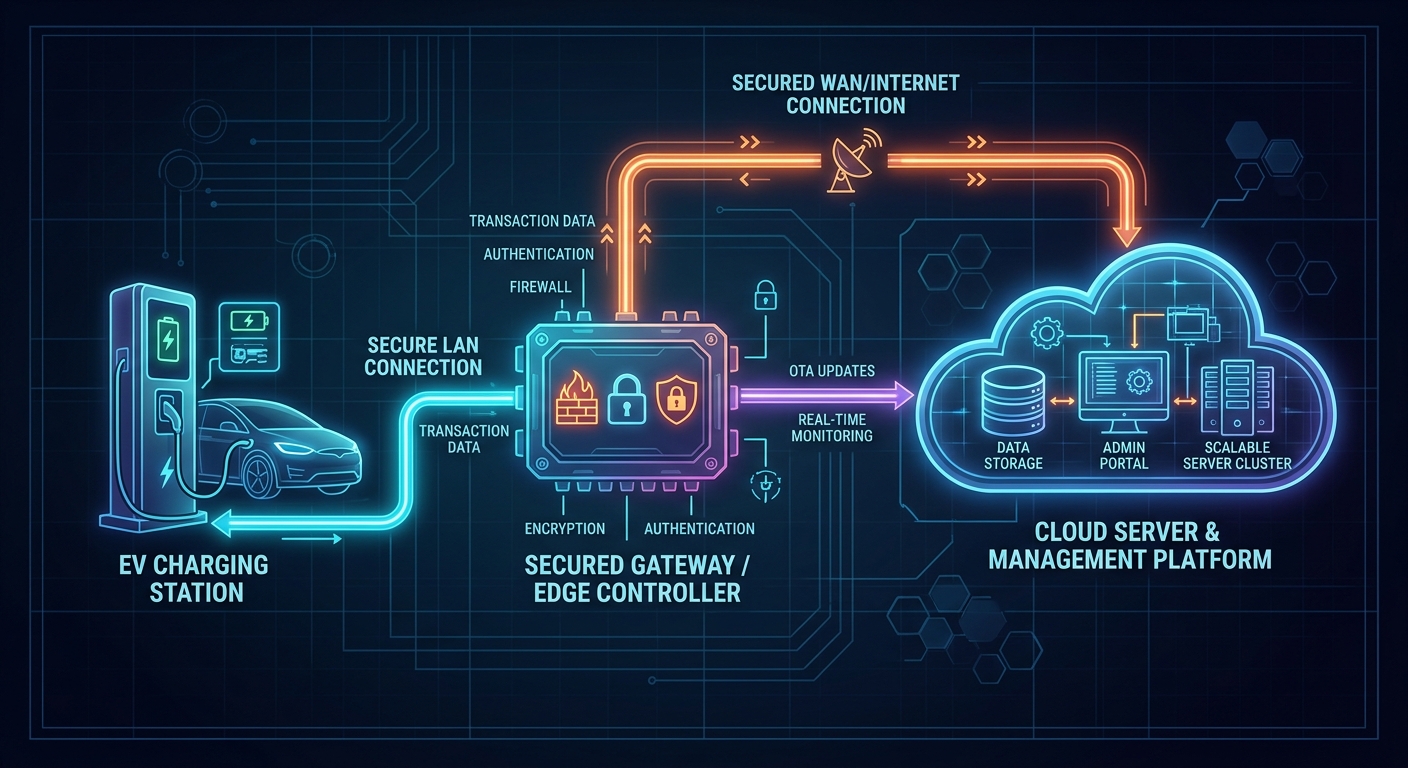
Ask any vendor if their charger supports OCPP, and the answer is almost always yes. Ask which Security Profile it runs, and the conversation gets a lot shorter. OCPP 1.6J defines three profiles — Profile 0 is unauthenticated and unencrypted, Profile 1 adds basic HTTP authentication, and Profile 2/3 require TLS with mutual certificate-based authentication. A charger advertised as OCPP-compliant while shipping on Profile 0 is technically telling the truth and practically useless from a security standpoint.
We covered the broader protocol tradeoffs in OCPP 1.6 vs. OCPP 2.0.1: What Your Charging Network Actually Needs, but the security angle deserves its own checklist item: OCPP 2.0.1 makes TLS 1.2+ mandatory by default, which removes the guesswork. If you’re still speccing 1.6J chargers, insist on Security Profile 2 at minimum and get it written into the purchase order, not just verbally confirmed.
What to actually test before accepting a shipment
Request a packet capture of the charger’s boot-up handshake with the backend — confirm TLS negotiation happens before any OCPP message payload is sent
Verify certificate validation isn’t silently bypassed on connection timeout (a common shortcut that defeats the whole point of TLS)
Confirm the charger rejects self-signed or expired certificates rather than logging a warning and connecting anyway
Network security diagram illustrating encrypted charger to cloud communication
Firmware Signing: The One Question That Filters Out 80% of Vendors
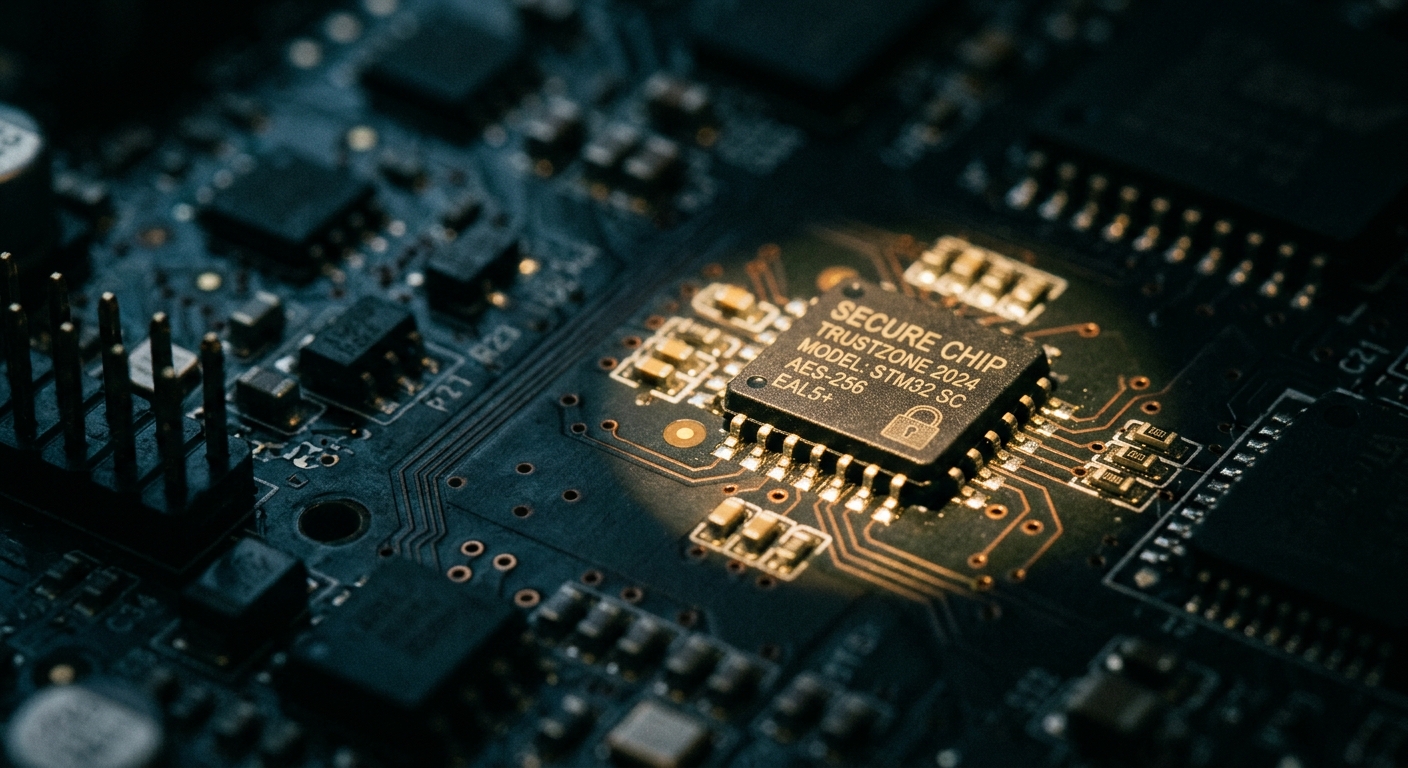
If a manufacturer can’t explain how firmware updates are cryptographically signed and verified on-device, walk away. Unsigned firmware means anyone with physical access — or worse, remote access through a compromised update server — can push malicious code that looks like a routine update. This isn’t theoretical; it’s the exact mechanism behind several documented IoT botnet campaigns.
A signed firmware pipeline works like this: the manufacturer signs the update package with a private key, the charger holds the corresponding public key in secure storage, and the bootloader refuses to flash anything that doesn’t verify. Ask vendors directly whether they support rollback protection too — without it, an attacker can downgrade a charger to an older, vulnerable firmware version even if the current one is patched.
For distributors managing fleets of deployed units, this connects directly to long-term support planning. A charger that can’t receive secure remote updates becomes a liability the moment a vulnerability is disclosed — you’d be sending technicians on-site for every patch, which doesn’t scale past a handful of locations.
Macro view of a secure chip component on a circuit board for firmware verification
The Default Credential Problem Nobody Wants to Admit
Every serious security audit of consumer and commercial IoT devices finds the same root cause: default credentials that were never rotated. EV chargers are no exception. A distributor in the Netherlands discovered this the hard way in 2023 when a batch of deployed public chargers were found reachable via a shared factory-set web portal password — not through some sophisticated exploit, just a login page anyone could Google.
Before accepting a production batch, require the manufacturer to demonstrate that each unit ships with a unique password or requires mandatory credential rotation on first boot. If a vendor says passwords are “the same across the SKU for support simplicity,” that’s your answer right there — it’s a support shortcut that becomes a security liability at scale.
A quick field test that takes five minutes
Pull three units from the same batch, check if they share identical local admin credentials, and check whether the web-based configuration portal is reachable without a login prompt at all. If any of these fail, escalate before deployment — not after a customer complaint.
Physical Access Ports: The Overlooked Attack Vector
Software security gets all the attention, but plenty of real-world compromises start with a screwdriver, not a keyboard. Exposed UART, JTAG, or USB debug ports inside a production charger enclosure let anyone with brief physical access dump firmware, extract encryption keys, or flash unauthorized code — no network connection required.
Verify that debug ports are either physically removed from production units or require enclosure disassembly plus a signed debug certificate to activate. This matters especially for outdoor and curbside installations where physical access control is weaker than in a fenced depot — see the access challenges discussed in curbside EV charging access gaps. A charger sitting on a public sidewalk overnight is a different threat model than one inside a locked warehouse.
ISO 15118 and Plug & Charge: New Convenience, New Attack Surface
Plug & Charge sounds great on a spec sheet — no app, no card, just plug in and the vehicle authenticates automatically. But it also introduces a new trust chain: the vehicle’s certificate, the charger’s certificate, and the backend Certificate Authority all have to validate correctly, every time. Get the PKI implementation wrong and you’ve opened the door to certificate spoofing or unauthorized billing.
We go deeper into implementation requirements in ISO 15118 Plug & Charge: What OEM Partners Need to Implement Before 2027, but the distributor-level takeaway is simple: don’t accept Plug & Charge as a checkbox feature. Ask which Certificate Authority the vendor’s PKI trusts, how certificate revocation is handled, and whether the implementation has passed independent conformance testing. If the answer is vague, the feature is more marketing than security-grade infrastructure.
Backend and App Security: The Part Distributors Usually Forget to Audit
Hardware gets the scrutiny; the cloud dashboard and mobile app rarely do. But the backend platform — where fleet operators monitor sessions, set pricing, and manage user access — is often the weaker link. A logistics company running fleet charging stations across multiple depots depends on that backend having proper role-based access control, so a driver-level login can’t accidentally (or maliciously) reconfigure charger power limits sitewide.
Before signing a distribution agreement, request the vendor’s answers on: session data encryption at rest, API rate limiting to prevent brute-force credential attacks, and whether the backend has undergone third-party penetration testing in the last 12 months. If the vendor can’t produce a pen test summary, that’s a gap worth pricing into your risk assessment — not something to assume away.
Building a Pre-Deployment Verification Checklist That Actually Gets Used
None of this matters if it lives in a PDF nobody opens before installation day. The most reliable distributors we’ve seen build a short, mandatory sign-off sheet into their procurement process — five to seven items, checked physically on a sample unit before a full batch ships to a customer site.
TLS handshake confirmed via packet capture on a sample unit
OCPP Security Profile confirmed in writing from the manufacturer
Firmware signing and rollback protection confirmed with technical documentation
Unique credentials verified across a minimum three-unit sample from the batch
Debug ports checked for physical exposure
Backend pen test report requested and reviewed, even briefly
This is the same discipline that separates distributors who avoid the hidden cost of cheap EV chargers from those who learn it after a warranty claim — except here, the cost of skipping verification isn’t a broken connector, it’s a compromised network with a customer’s name attached to the incident report.
Technician reviewing a cybersecurity verification checklist beside an EV charging station
Subscribe the newsletter to get updated to news and promotions
Cookies give you a personalized experience,Сookie files help us to enhance your experience using our website, simplify navigation, keep our website safe and assist in our marketing efforts. By clicking "Accept", you agree to the storing of cookies on your device for these purposes. Click "Adjust" to adjust your cookie preferences.For more information, review our Cookie Policy